Resize Signature to 10–20 KB Online
Prepare a JPG between 10 KB and 20 KB. Upload your handwritten signature, crop unused paper and set the pixel dimensions required by your application.
The starting canvas is 600 × 200 px, an editable preparation setting. A KB range does not imply one mandatory pixel size or guarantee portal acceptance.
Start with your image
JPG, PNG, WebP and browser-supported images · up to 15 MB
10–20 KB JPEG preparation preset. 600×200 px and 254 DPI are tool defaults, not official mandates. CGL 2026 and CHSL 2025 contain conflicting cm dimensions; verify your exact notice and active form.
Choose Image or Drag & Drop Here
Supports JPG, PNG and WebP images up to 15 MB • 600 × 200 px (10–20 KB)
Real-Time SSC Preview (600 × 200 px)Live Sync
Simulated SSC output view with high-contrast ink sync.
Check the exported signature
- Match the width, height and JPG format to your application instructions.
- Set both file-size bounds: 10 KB minimum and 20 KB maximum.
- Download, reopen the image at actual size and ensure every stroke is legible.
- Check the application's upload preview before submitting.
Check your signature crop before uploading
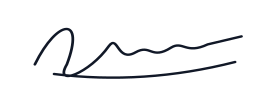
Complete, clear crop
Keep every stroke visible on clean white paper.

Clipped crop
Widen or reposition the crop when strokes are cut off.

Blurred image
Rescan the original; compression cannot restore missing detail.
Illustrations show crop quality only. Submit a scan or photograph of your own physical handwritten signature, following the official exam instructions.
Use guidance for your exact exam
Requirements differ by recruitment. Follow the source notices on the relevant page before selecting a preset.
10–20 KB signature questions
Does 10–20 KB imply a particular pixel size?
No. File size and pixel dimensions are separate requirements. This tool starts with a 600 × 200 px preparation canvas; change it to match your upload instructions.
How do I prepare a signature between 10 and 20 KB?
Upload your handwritten signature, crop without clipping strokes, set the minimum to 10 KB and maximum to 20 KB, then download and inspect the JPG.
Will a file in this range be accepted by every exam?
No. Some applications use different ranges or require a different format, crop or ink. Follow the notice for your exact exam and cycle.
What if a small file is still blurry?
Start with a clearer scan. Adding bytes or enlarging the image does not recover detail lost in the original.
Are my images uploaded for processing?
Image processing takes place in your browser. Your uploaded signature is not sent to our server for resizing.