IIT JAM 2027 signature resize: 50–150 KB
Prepare your own scanned signature in JPG/JPEG at 50–150 KB. The 560 × 160 px preset is the upper end of the allowed image range, not the only permitted size. Applicable for IIT JAM 2027 · JOAPS application.
IIT Kharagpur · JAM 2027 document requirements
JAM 2027 photo and signature requirements
Choose the correct image type. Published ranges appear below alongside the tool defaults; a preset is not the only allowed image size.
| Item | Requirement / setting | Source or limitation |
|---|---|---|
| Signature | JPG/JPEG · 50–150 KB | Black or dark-blue ink; white paper; no all-capital signatures or initials. |
| Signature size | Width × height: 280 × 80 to 560 × 160 px | Sign inside a 7 × 2 cm box. The source lists signature dimensions height first; we show width first. |
| Photograph | JPG/JPEG · 50–200 KB | Recent colour photo; white or very light background; face occupies at least 50%. |
| Photo size | 240 × 320 to 480 × 640 px; 3.5 × 4.5 cm | The source lists both. Their proportions differ; do not treat the pixel-bound pairs as exact cm equivalents. |
| Tool defaults | Signature 560 × 160 px · photo 420 × 540 px | Signature uses the upper bound. Photo follows the physical-photo proportions within the pixel bounds. Neither is the only permitted pixel size. |
Before uploading: Use the JAM 2027 requirements for this cycle. Pixel ranges and physical measurements are listed separately below. The tool checks its selected settings; image clarity and application acceptance still require review. Adding bytes cannot restore missing detail.
Official sources · reviewed
Independent preparation guidance. SignResize is not affiliated with the examining authority.
What changed in this review?
Corrected the photo minimum to 50 KB, aligned photo canvas and crop ratio, separated pixel bounds from physical dimensions, and removed acceptance guarantees.
Start with your image
JPG, PNG, WebP and browser-supported images · up to 15 MB
JAM 2027: JPG/JPEG 50–150 KB, black or dark-blue ink on white paper, 7×2 cm signing box. Width-first pixel range 280×80 to 560×160. The preset uses the maximum, not a universal exact size. Scan clearly, crop to the box border and review the application preview.
Choose Image or Drag & Drop Here
Supports JPG, PNG and WebP images up to 15 MB • 560 × 160 px (50–150 KB)
Real-Time JAM 2027 Preview (560 × 160 px)Live Sync
Simulated JAM 2027 output view with high-contrast ink sync.
Check your signature crop before uploading
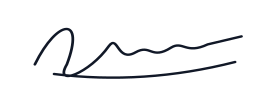
Complete, clear crop
Keep every stroke visible on clean white paper.
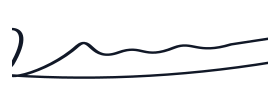
Clipped crop
Widen or reposition the crop when strokes are cut off.

Blurred image
Rescan the original; compression cannot restore missing detail.
Illustrations show crop quality only. Submit a scan or photograph of your own physical handwritten signature, following the official exam instructions.
🛡️ Preparation checklist for IIT Kharagpur · JAM 2027
- 1 Sign horizontally inside a 7 cm wide × 2 cm high box on white paper using black or dark-blue ink.
- 2 Use your own full signature, not all-capital lettering or initials. The source asks for a professional scan cropped to the box border.
- 3 Keep every stroke visible. The width-first pixel range is 280 × 80 to 560 × 160; the tool starts at its upper end.
- 4 Check the downloaded JPG is 50–150 KB and legible. Prepare your photo separately using the 50–200 KB photo tool.
❓ Frequently Asked Questions (IIT Kharagpur · JAM 2027)
What are the JAM 2027 photo and signature file sizes? ▼
The official page lists JPG/JPEG at 50–200 KB for a photograph and 50–150 KB for a signature. The old 20 KB photo minimum on this site has been corrected.
Must a JAM signature be exactly 560 × 160 pixels? ▼
No. That is the upper limit, written width first. The lower limit is 280 × 80 pixels. The source describes the signature box and pixel dimensions height first; this tool consistently shows width first.
Why does the photo tool use 420 × 540 pixels? ▼
It is an editable canvas inside the published 240 × 320 to 480 × 640 pixel bounds. Its 7:9 proportions match the separately specified 3.5 × 4.5 cm photograph. The pixel-bound pairs themselves have a 3:4 ratio, so they should not be described as an exact centimeter conversion.
Does compression or padding guarantee JOAPS acceptance? ▼
No. A file can meet the byte-size range and still be unclear, cropped incorrectly or otherwise unsuitable. Inspect your original and the exported image; adding bytes cannot improve missing detail.
Can I reuse a JAM 2026 preset? ▼
Use the preset and official notice for your application year. This page is reviewed for JAM 2027; a previous-cycle preset should not be treated as current guidance.